Safety locations
Before you start, check the Starting navigation guide
Project setup
- Before proceeding, follow the Quickstart guide for Maps and the Quickstart guide for Navigation to create the
TomTomMapandTomTomNavigationobjects. These are essential for using the Navigation Visualization module, which displays Safety Locations during the navigation session. - Add the Navigation Visualization dependency to the
build.gradlefile of your application module, then synchronize the project:implementation("com.tomtom.sdk.maps.visualization:navigation:2.2.0") - Use the
NavigationVisualizationFactory.createmethod to create theNavigationVisualizationobject:navigationVisualization =NavigationVisualizationFactory.create(tomTomMap, tomtomNavigation)
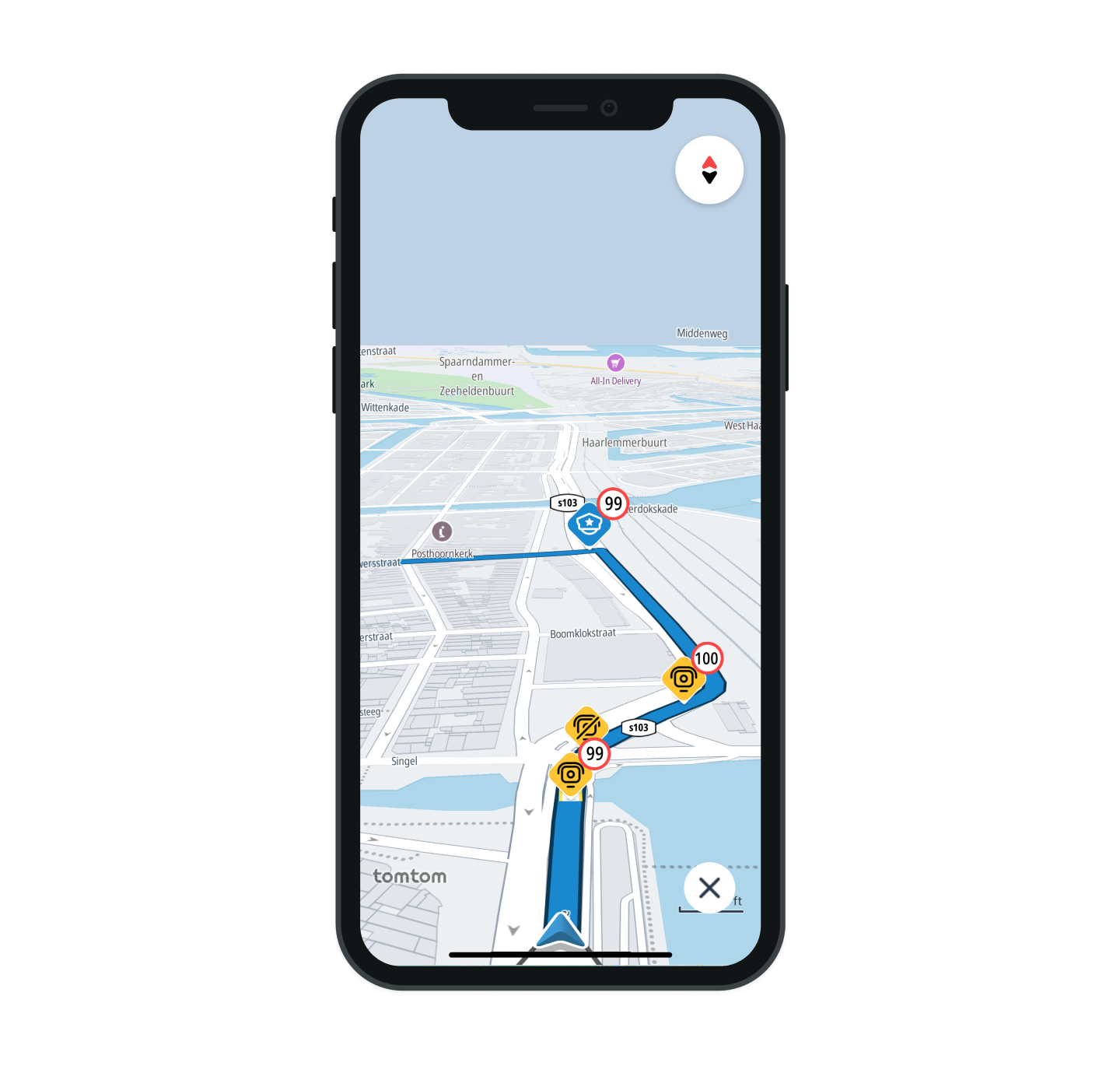
Safety location types

By default all SafetyLocationTypes are enabled. You can hide specific types of safety locations by using the configuration API:
navigationVisualization.safetyLocationVisualization.hideSafetyLocations(hiddenSafetyLocations)
Speed and danger zones on the route
Speed and danger zones are visualized as tubes with outlines along the route. Both zones include a Start Marker indicating the beginning of the zone and an End Marker showing where it ends.
Speed zone

Danger zone

Safety locations style customization
When creating the NavigationVisualization object using NavigationVisualizationFactory.create, you can pass in a StyleConfiguration object to define custom styling. If not provided, the default style is applied. To customize the appearance of safety locations, use SafetyLocationStyle. Here’s how to pass your custom style:
1navigationVisualization =2 NavigationVisualizationFactory.create(3 tomTomMap,4 tomtomNavigation,5 styleConfiguration = StyleConfiguration(safetyLocationStyle = customSafetyLocationStyle),6 )
Learn more
Since you have learned how to set up and display Safety locations, here are recommendations for the next steps: