Favourites and Recents
Overview
All destinations for which a route has been planned are saved in recents. Users can also add locations to their favourites list for quicker access.
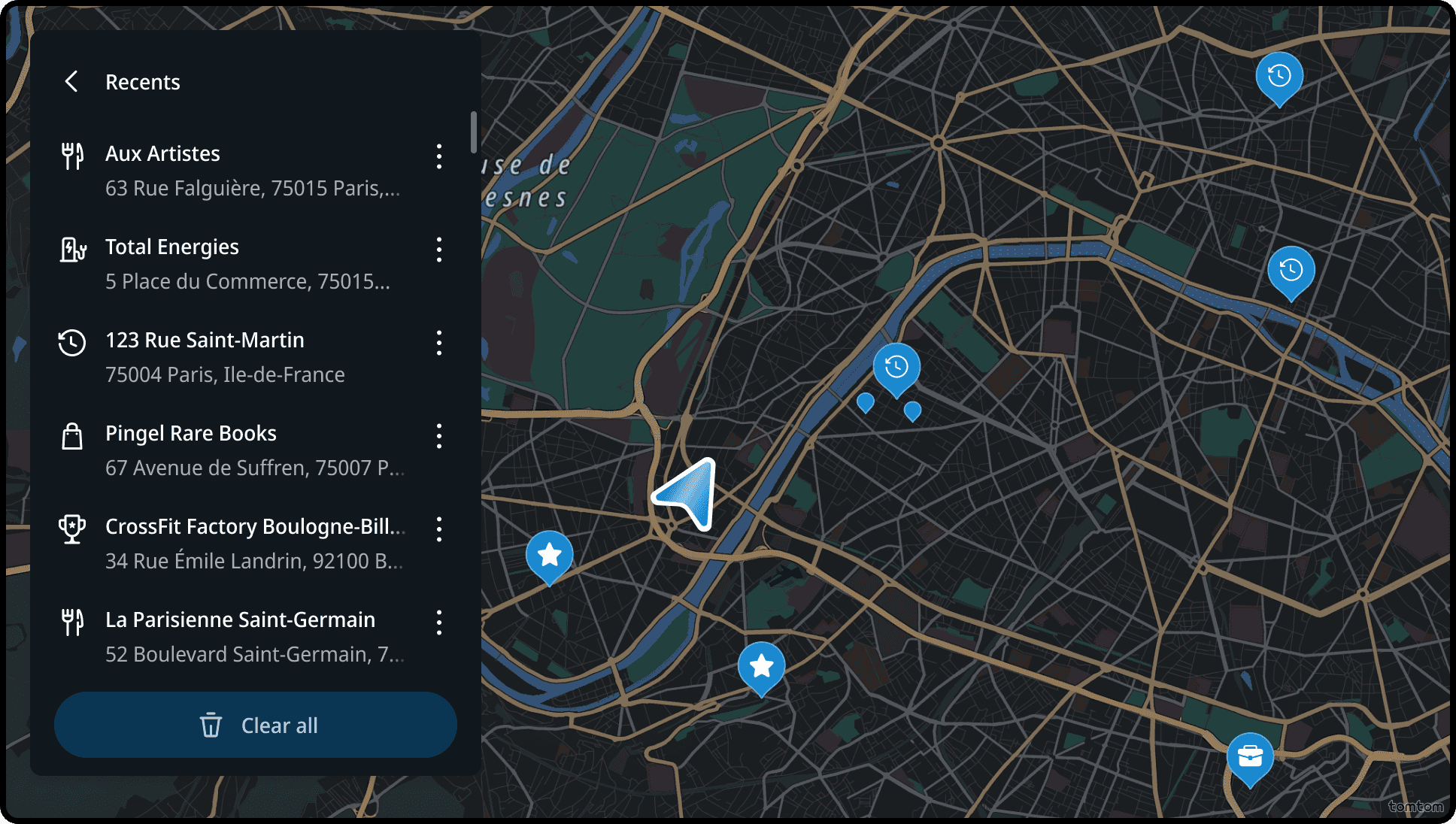
List of recents
The Recents list displays the recent destinations for which the user has planned a route, shown in reverse chronological order.
List of favourites
Favourites is a list of locations saved by the user in the application. Users can add new favourite locations, rename or delete existing ones, and also view all favourites on the map.
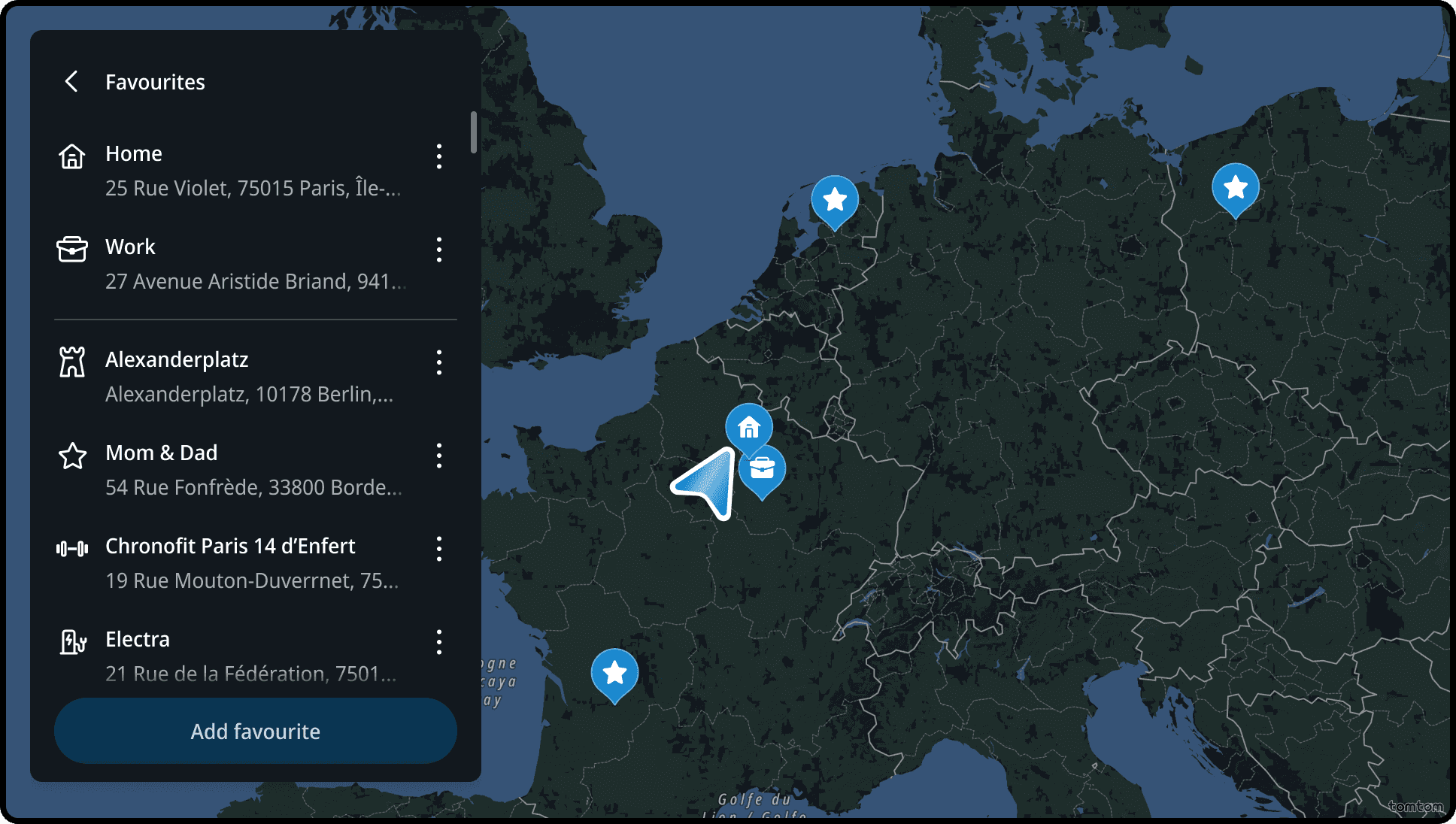
Favourite locations
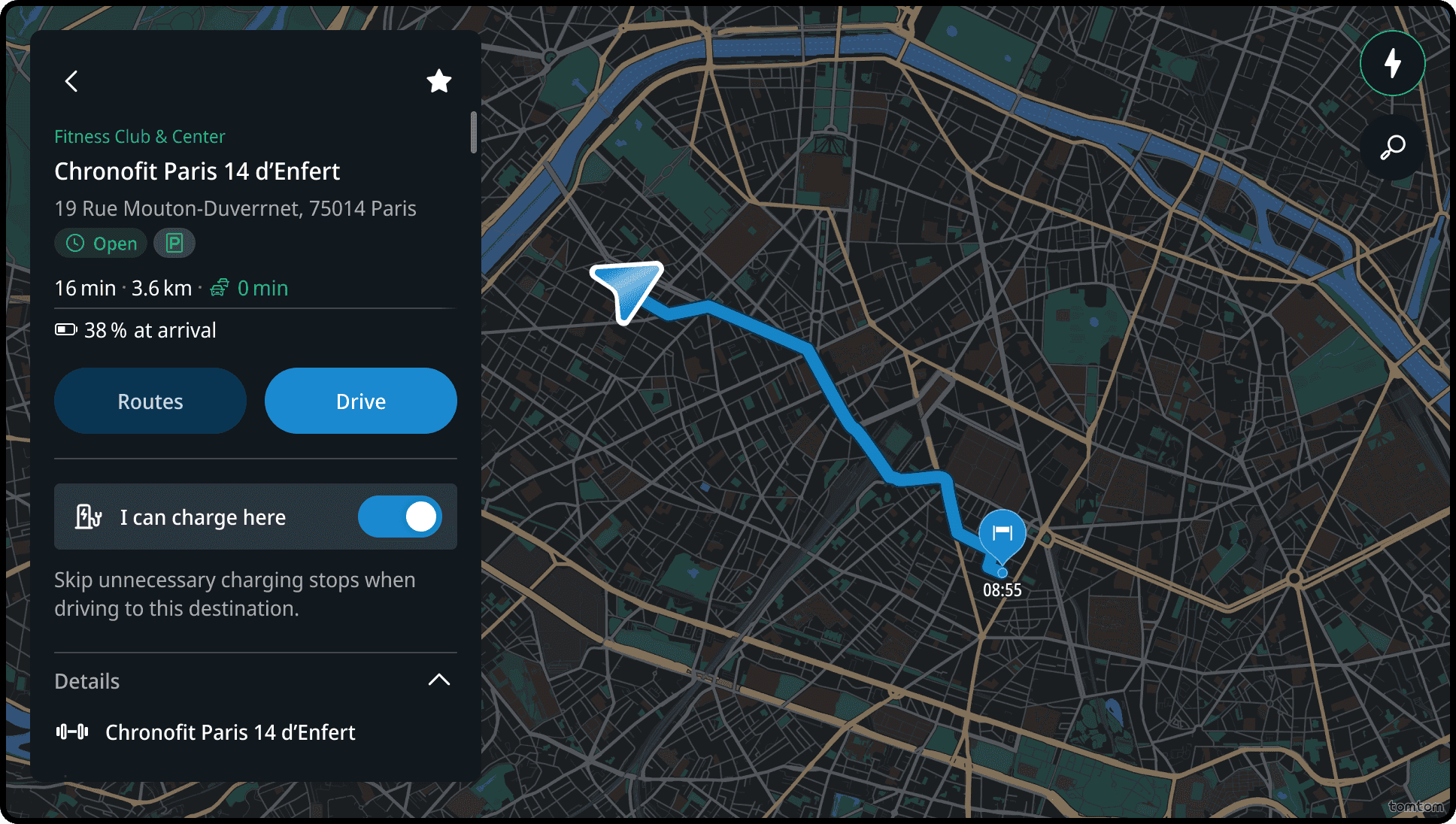
While previewing a favourite location, users can specify whether charging is available there. Many electric vehicle (EV) drivers have access to private charging points at places like their homes, workplaces, or familiar destinations such as schools, gyms, or friends’ houses.
This helps the app avoid unnecessary charging stops, allowing lower battery arrival at charger destinations compared to other locations.
Reducing minimum arrival batery level only applies when it eliminates all charging stops (transitioning from one charging stop to none). If charging is unavoidable, the system reverts to standard minimum SoC to preserve battery level at arrival, as users dislike arriving with a depleted battery.
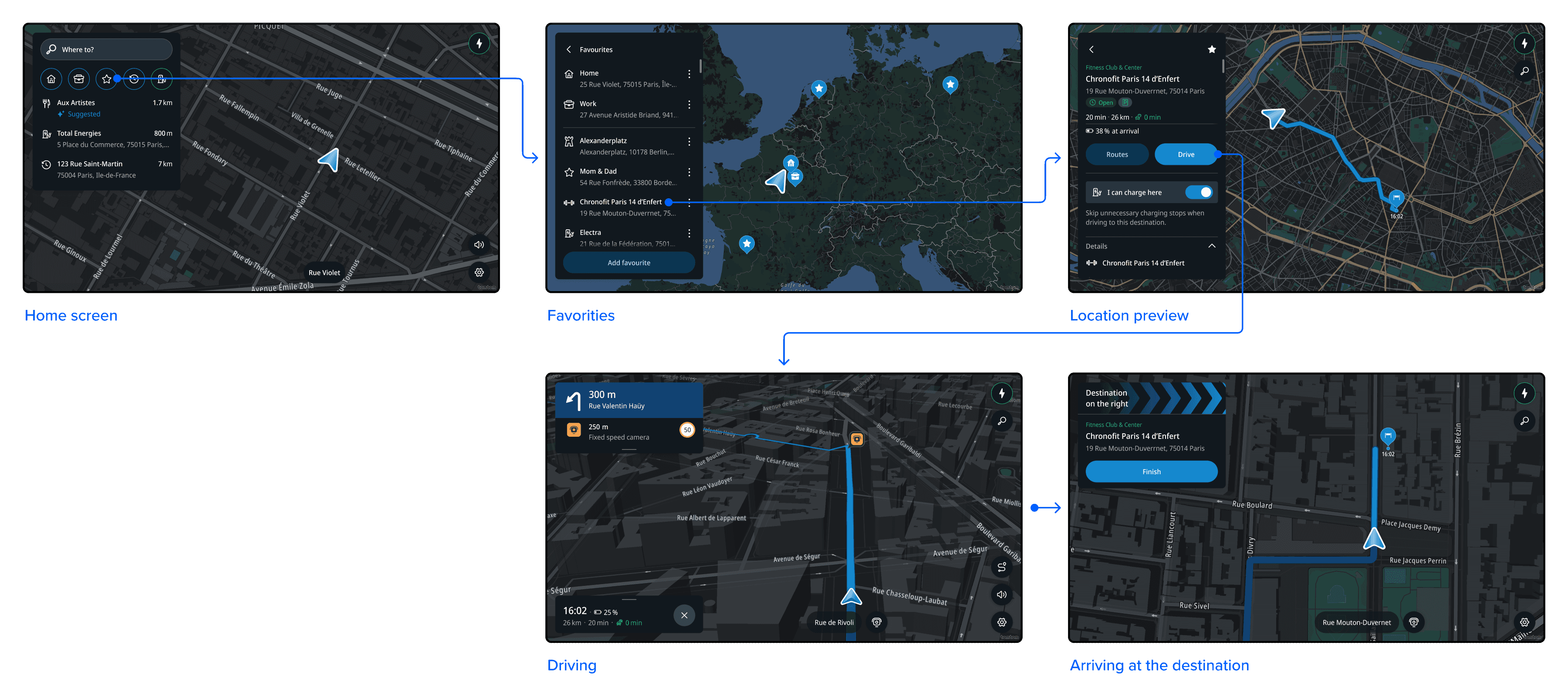
Flow
Selecting a favourite location
On clicking the shortcut, the list of Favourites is shown. Selecting a result form the list or from the map, will bring the user to the Location preview panel for that location.
Adding a Home location
Tapping Home icon with a plus from the shortcut, or Add home element in Favorites panel, triggers a search experience to find and set your Home location. Once selected, the icon and Favorites panel element update to reflect the change.
The same flow applies for adding a Work location.


Adding a favorite location
Users can add any location as a favorite by using the 'Add favorite' button at the bottom of the Favorites panel and name it as they prefer. Another way to save a location is by tapping the Star button in the upper right corner when viewing location details.
